Inbox Management / AI Automation
From Hands-On Inbox Management to an AI Email Classification System
Client Support / Self-Built AI System
Managed a busy Gmail inbox with a structured label and triage system — then built an AI system that connects to a Gmail inbox, reads every incoming email, and classifies it automatically.
Zero-touch email classification
- Gmail
- Google Workspace
- AI agents
- APIs
- Webhooks
- New Email
- AI Reads Content
- Auto Classification
- Label Applied
- Inbox Stays Organized
Before / After
Before
- Every incoming email had to be read and sorted by hand to keep the inbox under control.
- Important messages could sit unnoticed among low-priority mail until someone triaged them.
- Inbox organization depended entirely on manual time and attention every day.
After
- A structured label system keeps every category of mail visible and under control.
- An AI system reads each incoming email and classifies it automatically — no manual sorting.
- The inbox stays organized on its own, freeing time for the work that actually matters.
Challenge
A busy inbox mixes client work, payments, learning, and freelance opportunities — without a system, important messages get buried and response times slip.
Manual triage works, but it costs daily attention. The goal was to keep the inbox organized without having to lift a finger.
Approach
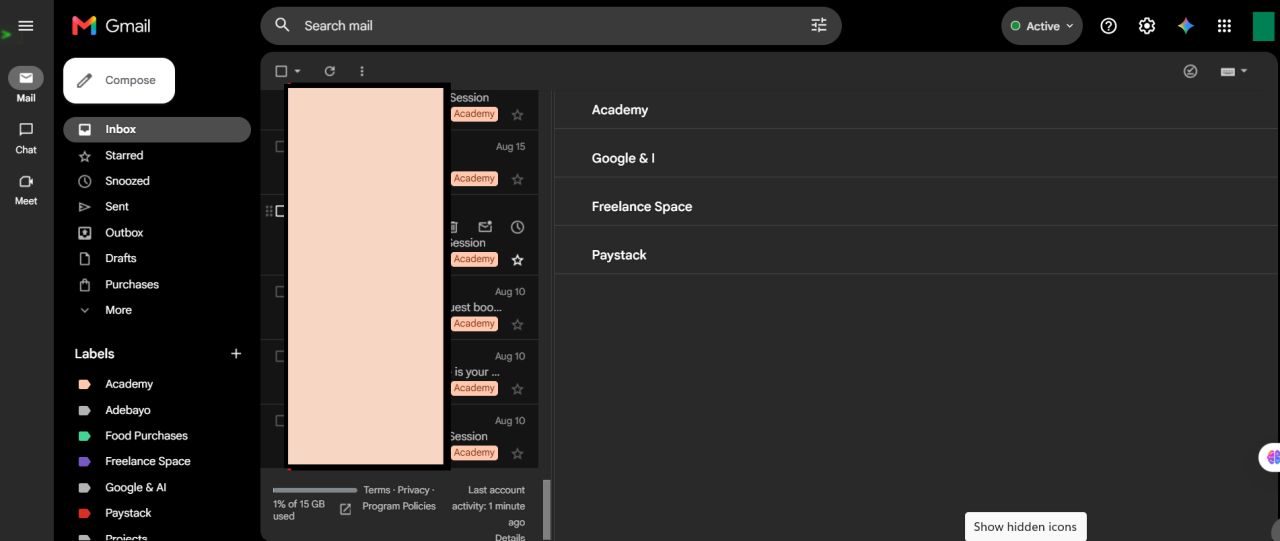
First applied classic inbox management: a clear label structure (Academy, Freelance Space, Paystack, Google & AI and more) so every message has a home and nothing gets lost.
Then took it further — designed and built an AI system that connects to a Gmail inbox, reads each incoming email, and classifies it automatically.
Process
A new email arrives in Gmail, the AI reads its content, classifies it into the right category, and the label is applied automatically — the inbox organizes itself.
Tools
Gmail and Google Workspace, connected to a custom-built AI system using AI agents, APIs, and webhooks.
Execution
Set up and maintained the manual label and triage system as day-to-day inbox support.
Built the AI classification pipeline end to end: connected the Gmail inbox, configured the AI to read incoming mail, and verified it classifies messages correctly on its own — demonstrated live in the video below.
Outcome
The inbox runs on a clear, reliable structure that survives busy periods.
Email classification now happens automatically — no manual reading, no manual sorting, no missed messages.
Lessons
Good automation starts with good manual process — the label system that worked by hand became the blueprint the AI now follows.
Inbox under management
Screens from the live system
Video demo